

Hey, there  I'm
Nawaz, a seasoned QA Automation and
Chrome Extension Developer with over 4
years of hands-on experience. I
specialize in delivering high-quality
automation solutions and web scraping
expertise across various domains,
including eCommerce, Social Media, and
more. My skills span Python, Java,
JavaScript, and multiple automation
tools, allowing me to design and
optimize workflows to meet complex
project needs. Passionate about ensuring
software achieves the highest quality
standards, I bring a robust portfolio
showcasing my expertise in both manual
and automation testing.
I'm
Nawaz, a seasoned QA Automation and
Chrome Extension Developer with over 4
years of hands-on experience. I
specialize in delivering high-quality
automation solutions and web scraping
expertise across various domains,
including eCommerce, Social Media, and
more. My skills span Python, Java,
JavaScript, and multiple automation
tools, allowing me to design and
optimize workflows to meet complex
project needs. Passionate about ensuring
software achieves the highest quality
standards, I bring a robust portfolio
showcasing my expertise in both manual
and automation testing.














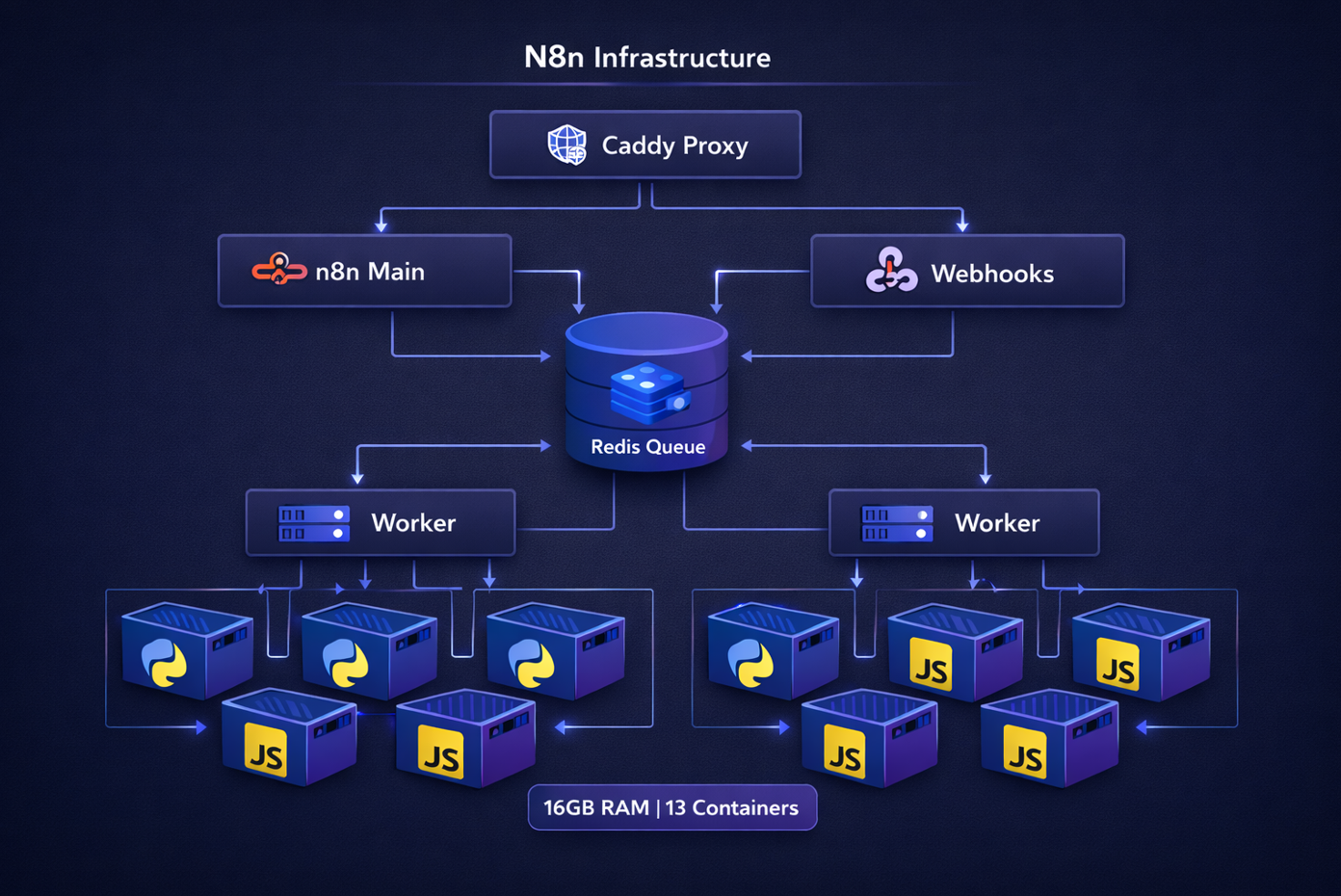
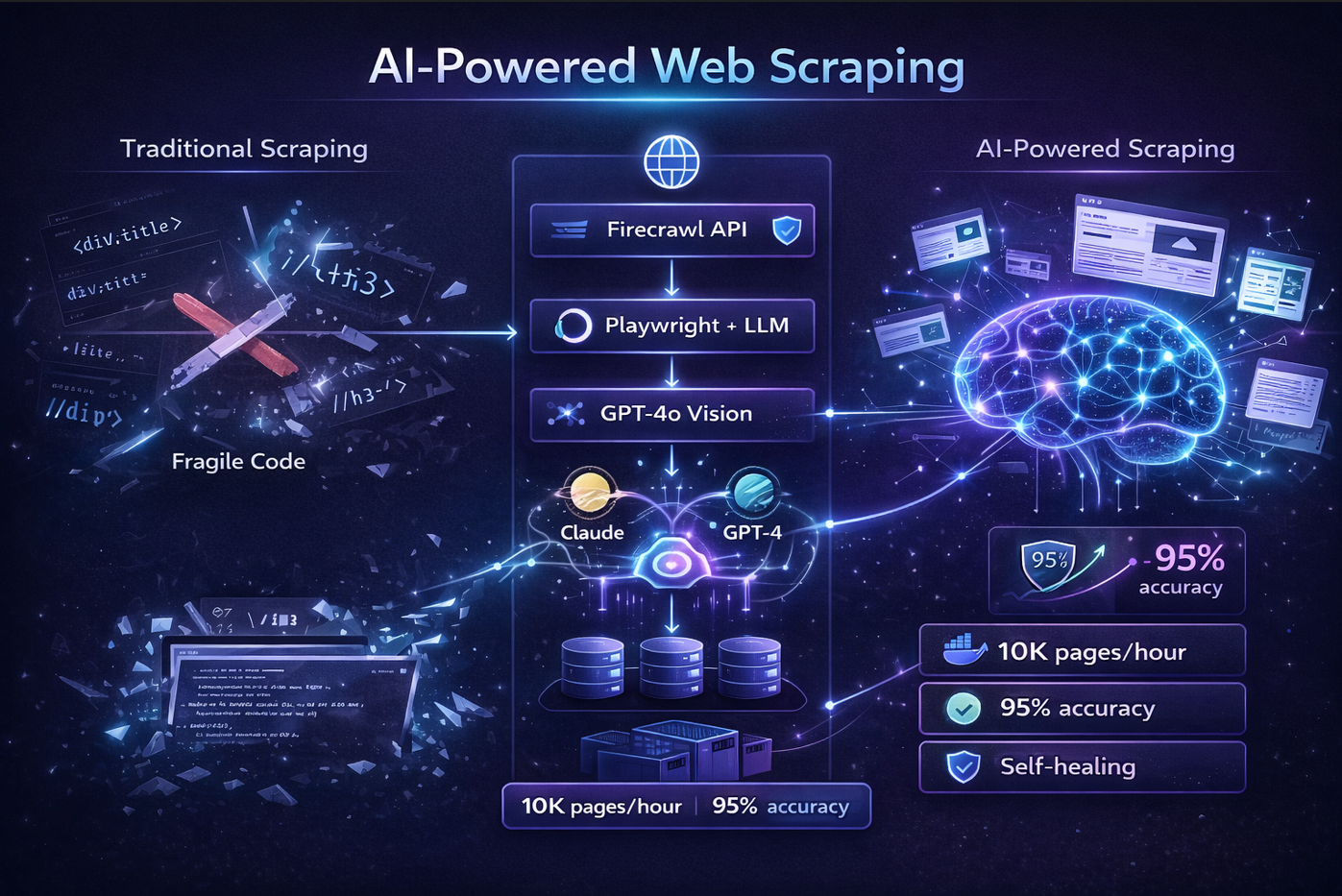

Building a Production-Grade N8N Infrastructure on 16GB RAM
The Challenge
N8N is a powerful workflow automation platform, but scaling it to handle heavy production workloads while maintaining a reasonable infrastructure budget is challenging. This is the story of how I architected a high-performance N8N deployment that handles complex Python and JavaScript workloads within the constraints of a single 16GB server.
Architecture Overview
The infrastructure consists of multiple specialized components working together in a queue-based architecture:
┌─────────────────────────────────────────────────────────┐
│                    Client Requests                       │
└──────────────────────┬──────────────────────────────────┘
                       │
                       ▼
              ┌─────────────────┐
              │  Caddy (Proxy)  │
              │   SSL/TLS       │
              └────────┬────────┘
                       │
          ┌────────────┼────────────┐
          │            │            │
          ▼            ▼            ▼
    ┌─────────┐  ┌──────────┐  ┌──────────┐
    │ N8N Main│  │ Webhook  │  │ Webhook  │
    │ UI/API  │  │ Handler  │  │ Handler  │
    └────┬────┘  └──────────┘  └──────────┘
         │
         │ Publishes jobs to
         ▼
    ┌──────────────────┐
    │  Redis Queue     │
    │  (Bull Queue)    │
    └────────┬─────────┘
             │
       ┌─────┴─────┐
       │           │
       ▼           ▼
   ┌────────┐  ┌────────┐
   │Worker-1│  │Worker-2│
   │  15cc  │  │  15cc  │
   └───┬────┘  └───┬────┘
       │           │
       │ Delegates │
       ▼           ▼
   ┌────────┐  ┌────────┐
   │Task    │  │Task    │
   │Runners │  │Runners │
   │Python  │  │Python  │
   │& JS    │  │& JS    │
   └────────┘  └────────┘
Key Design Decisions
1. External Task Runners for Heavy Workloads
One of the most critical architectural decisions was implementing external task runners. N8N supports executing Python and JavaScript code, but running these in the main Node.js process poses security and performance risks.
The Solution:
- Isolated task runner containers built on the official
n8nio/runners:latestimage - Each runner operates in a sandboxed environment
- Pre-installed heavy dependencies: NumPy, Pandas, yt-dlp, requests
Benefits:
- Security: Code execution is isolated from the main process
- Performance: Python workloads don't block Node.js event loop
- Stability: Crashed code execution doesn't bring down the worker
- Resource Control: Each runner has dedicated memory limits (1.5GB)
2. Dedicated Task Runners Per Worker
Instead of sharing a pool of task runners, each worker has dedicated task runners. This was a deliberate choice for heavy workload scenarios.
worker-1 (2.5GB)
  ├── task-runner-worker-1-1 (1.5GB)
  └── task-runner-worker-1-2 (1.5GB)

worker-2 (2.5GB)
  ├── task-runner-worker-2-1 (1.5GB)
  └── task-runner-worker-2-2 (1.5GB)
Why This Matters:
- Load Isolation: A saturated worker-1 doesn't starve worker-2 of task runners
- Debugging: Easy to identify which worker is causing performance issues
- Scaling: Can scale task runners independently per worker based on actual load
- Failure Containment: Issues in one worker's task runners don't cascade
3. Queue-Based Architecture
The infrastructure uses Bull Queue (Redis-backed) for job distribution:
Manual Execution (UI) → Main Process → task-runner-main
Production Jobs → Redis Queue → Workers → task-runner-worker-X
Webhooks → Webhook Process → Redis Queue → Workers
This separation ensures:
- UI remains responsive even under heavy production load
- Production jobs are distributed across workers
- Failed jobs can be retried automatically
- Horizontal scaling is possible
Memory Optimization Strategy
Fitting a production-grade setup into 16GB required careful resource allocation:
| Component | Count | Memory/Instance | Total | Strategy |
|---|---|---|---|---|
| N8N Main | 1 | 4GB | 4GB | UI/API - needs headroom for workflow editing |
| Workers | 2 | 2.5GB | 5GB | Queue consumers - right-sized for 15 concurrent jobs |
| Task Runners (Main) | 2 | 1.5GB | 3GB | Manual executions - lower load |
| Task Runners (Workers) | 4 | 1.5GB | 6GB | Production - most critical |
| Webhooks | 2 | 1GB | 2GB | Stateless handlers |
| Caddy | 1 | 256MB | 256MB | Lightweight proxy |
| Prometheus | 1 | 512MB | 512MB | Monitoring with 7-day retention |
| Total | 13 | - | ~21GB | With soft limits & reservations |
How it fits in 16GB:
- Memory reservations vs limits: Containers reserve minimum memory but can burst to limits
- Actual usage: ~12-14GB under normal load
- Headroom: 2-4GB for OS and spikes
- Log level: Set to
warnto reduce I/O overhead
Docker Compose Configuration Highlights
Custom N8N Image with FFmpeg
FROM n8nio/n8n:latest

USER root
RUN apk add --no-cache ffmpeg
USER node
Simple and effective - adds video processing capabilities without bloat.
Task Runner Configuration
The task runners use a custom configuration file (n8n-task-runners.json) that defines:
{
  "task-runners": [
    {
      "runner-type": "javascript",
      "command": "/usr/local/bin/node",
      "args": ["--disallow-code-generation-from-strings"],
      "env-overrides": {
        "NODE_FUNCTION_ALLOW_BUILTIN": "",
        "NODE_FUNCTION_ALLOW_EXTERNAL": ""
      }
    },
    {
      "runner-type": "python",
      "command": "/opt/runners/task-runner-python/.venv/bin/python",
      "env-overrides": {
        "N8N_RUNNERS_EXTERNAL_ALLOW": "numpy,pandas,requests,yt-dlp"
      }
    }
  ]
}
This ensures:
- JavaScript runs with security flags (no
eval(), no proto manipulation) - Python has explicit whitelist of allowed packages
- Each runner type has its own resource constraints
Worker Configuration with Task Runner Support
Critical environment variables that enable workers to use task runners:
worker-1:
  environment:
    - EXECUTIONS_MODE=queue
    - N8N_RUNNERS_ENABLED=true
    - N8N_RUNNERS_MODE=external
    - N8N_RUNNERS_BROKER_LISTEN_ADDRESS=0.0.0.0
    - N8N_RUNNERS_MAX_CONCURRENCY=5
Without these, workers would fail when encountering Python/JS code nodes.
Performance Characteristics
Throughput
- 30 concurrent workflow executions (2 workers × 15 concurrency)
- 6 parallel Python/JS tasks (6 task runners total)
- Unlimited webhook requests (handled by dedicated webhook processes)
Load Distribution
Manual/UI Load → task-runner-main (sporadic, low volume)
Production Load → task-runner-worker-1 & worker-2 (continuous, high volume)
Webhook Traffic → webhook processes → Queue → Workers
Resource Utilization Under Load
- Normal: 60-70% memory usage (~10-11GB)
- Peak: 85-90% memory usage (~14-15GB)
- Critical threshold: Set at 90% with alerts
Monitoring and Observability
Prometheus Integration
Each process exposes metrics with unique prefixes:
n8n_*- Main process metricsn8n_worker_1_*- Worker 1 metricsn8n_worker_2_*- Worker 2 metricsn8n_webhook_*- Webhook process metrics
Health Checks
Every critical component has health checks:
healthcheck:
  test: ["CMD", "wget", "--spider", "http://localhost:5678/healthz"]
  interval: 30s
  timeout: 5s
  retries: 3
This ensures:
- Docker automatically restarts unhealthy containers
- Load balancers can route traffic away from degraded instances
- Monitoring systems get real-time health status
Common Pitfalls Avoided
1. Task Runner Connection Mismatch
Problem: Using docker-compose replicas creates containers like worker_1, worker_2, but there's no service named just worker.
Wrong:
task-runner-worker:
  environment:
    - N8N_RUNNERS_TASK_BROKER_URI=http://worker:5679  # Fails!
Correct:
task-runner-worker-1:
  environment:
    - N8N_RUNNERS_TASK_BROKER_URI=http://worker-1:5679  # Works!
2. Workers Without Task Runner Configuration
Workers must explicitly enable task runners:
- N8N_RUNNERS_ENABLED=true
- N8N_RUNNERS_MODE=external
Without these, Python/JS nodes will fail silently.
3. Insufficient Memory for Task Runners
Initial allocation of 512MB per task runner caused OOM kills with Pandas operations. Increased to 1.5GB to handle:
- Large DataFrame operations
- NumPy array computations
- Video processing with yt-dlp
Deployment and Scaling
Initial Deployment
# Build custom images
docker-compose build --no-cache

# Start infrastructure
docker-compose up -d

# Verify all services
docker-compose ps
docker stats
Horizontal Scaling (Future)
The architecture supports scaling to multiple servers:
- Move Redis to dedicated server
- Add worker servers pointing to central Redis
- Scale task runners based on worker load
- Use external load balancer instead of Caddy
Vertical Scaling
If upgrading to 32GB RAM:
- Increase worker count: 2 → 4
- Add task runners per worker: 2 → 3
- Increase concurrency: 15 → 20 per worker
- Expected throughput: 80 concurrent executions
Security Considerations
Network Isolation
All services communicate over internal Docker network. Only Caddy exposes ports externally.
Code Execution Sandboxing
- Task runners use security flags:
--disallow-code-generation-from-strings - Python external packages are whitelisted
- No access to host filesystem from task runners
Secrets Management
Sensitive values stored in .env file:
N8N_ENCRYPTION_KEY=your-encryption-key
N8N_RUNNERS_AUTH_TOKEN=your-auth-token
Never committed to version control.
Lessons Learned
1. Memory Limits vs Reservations
Using both provides the best of both worlds:
- Reservation: Guaranteed minimum (prevents resource starvation)
- Limit: Maximum allowed (prevents runaway processes)
2. Log Levels Matter
Changing from info to warn reduced disk I/O by ~40% and saved ~200MB memory.
3. Health Check Intervals
Initial 10s intervals created unnecessary overhead. 30s is sufficient for production.
4. Task Runner Auto-Shutdown
Setting N8N_RUNNERS_AUTO_SHUTDOWN_TIMEOUT=300 allows idle runners to shut down, freeing memory.
Conclusion
Building a production-grade N8N infrastructure on limited resources requires careful architectural decisions and resource optimization. The key takeaways:
- External task runners are essential for heavy Python/JS workloads
- Dedicated task runners per worker provide better isolation and debugging
- Queue-based architecture enables scaling and resilience
- Memory optimization through limits, reservations, and right-sizing
- Comprehensive monitoring is critical for production stability
This infrastructure successfully handles production workloads processing thousands of workflow executions daily, with complex data transformations using Pandas, video downloads with yt-dlp, and custom JavaScript logic—all within a 16GB constraint.
The architecture is battle-tested, cost-effective, and ready to scale when needed.